

Mobile casino applications have changed how players in Poland reach their top games, yet one issue regularly appears: battery drain. A badly optimized app can deplete a smartphone battery over a short period, breaking sessions and leading to frustration. The verdecasino app has been built with power efficiency as a core priority, tailored for the device landscape and network conditions seen in Poland. This article looks at the technical and applied aspects of battery optimization inside the Verde Casino mobile application. Players will learn how the app controls background processes, which settings lower energy consumption, and how it stacks up to browser-based play. Every detail is rooted in the real-world experience of Polish users who depend on devices from Samsung, Xiaomi, Huawei, and Apple, guaranteeing the guidance is directly useful.
Grasping Battery Consumption within Mobile Casino Apps
Casino applications are intrinsically demanding because they integrate real-time graphics, continuous network communication, and touch interactivity. The display is usually the largest power consumer, especially when drawing animated slot reels, live dealer streams, or dynamic table games at high brightness. The CPU and GPU work strenuously to handle game logic and visuals, while the radio module sustains a steady data connection for game state updates and secure transactions. In Poland, where many users depend on mid-range devices with 4000–5000 mAh batteries, inefficient coding can lead to a fully charged phone to drop below twenty percent in under two hours of play. Grasping these consumption patterns helps users understand why optimization matters and what specific measures the Verde Casino app uses to counteract them.
Beyond the obvious hardware demands, software inefficiencies increase battery use. Apps that query servers too frequently, neglect to release wakelocks, or hold the GPU rendering at maximum frame rates even during static screens consume energy. Location services, push notifications, and analytics trackers running in the background add further drain. The Verde Casino development team has studied these factors and constructed the app to reduce unnecessary wake-ups and cut rendering overhead. By reviewing how the app manages each component, Polish players can make informed decisions about their device settings and appreciate that battery longevity is not an afterthought but a deliberate engineering goal built in the application architecture.
Application Settings to Cut Battery Drain
The Verde Casino app offers a specialized settings panel where Polish users can adjust the experience for maximum battery longevity. One of the most impactful adjustments is the graphics quality selector, which has three tiers: Performance, Balanced, and Quality. Opting for Performance mode reduces texture resolution, deactivates particle effects, and decreases shadow detail, lowering GPU load by approximately thirty percent on mid-range devices. The Balanced mode preserves visual appeal while still applying moderate optimizations, making it suitable for extended sessions on a single charge. Players who focus on battery life over visual flair will find the Performance mode offers a smooth experience even on older hardware like the Samsung Galaxy A12.
Audio and haptic feedback settings also add to energy consumption. The app allows users to deactivate sound effects, background music, and vibration independently. Vibration motors, in particular, draw a noticeable amount of current each time they engage, and a fast-paced slot game can trigger dozens of vibrations per minute. By switching off vibration in the app settings, a Polish player can extend battery life by an estimated five to eight percent over a two-hour session. Similarly, lowering the in-app volume or silencing audio entirely reduces the load on the audio codec and speakers. These options are available from the main lobby under the gear icon, and changes take effect immediately without requiring a restart.
Screen-related settings are just as important. The app provides an auto-brightness toggle that leverages the device’s ambient light sensor to adjust screen luminosity dynamically. Manual brightness can be lowered further within the app’s overlay, independent of the system setting, offering players granular control. Additionally, a screen timeout extension feature can be toggled off; when enabled, it stops the device from sleeping during inactive periods, which is helpful for reading game rules but detrimental to battery. Polish users who gamble in well-lit indoor environments will gain from setting the brightness at around forty percent, which finds a balance between visibility and power conservation. These combined adjustments can readily add thirty to forty-five minutes of extra playtime on a typical 5000 mAh battery.
Comparing Battery Usage: Verde Casino App vs Mobile Browser
Many Polish players wonder whether using a dedicated app is worth the storage space when a mobile browser can open the same casino platform. From a battery view, the native Verde Casino app always surpasses browser-based play. Mobile browsers like Chrome or Safari execute web applications inside a sandboxed environment with additional abstraction layers, JavaScript engines, and rendering pipelines that are not optimized for a single use case. The Verde Casino app, by contrast, interacts directly with the operating system’s graphics and networking APIs, cutting the overhead of a full browser engine. Independent tests on a Xiaomi Redmi Note 11 showed that an hour of slot play used twenty-two percent less battery in the app compared to Chrome under identical network conditions and screen brightness.
The difference becomes even more pronounced during live dealer games. Browser-based streaming depends on WebRTC and software decoding in many cases, which maintains the CPU cores active and creates heat. The Verde Casino app uses native video players with hardware acceleration, transferring the decoding to dedicated chips that consume far less power. Furthermore, the app can save game lobby assets and UI elements locally, reducing the need for repeated data transfers that trigger the radio module. A Polish user traveling on a train between Warsaw and Gdańsk, where cellular signal varies, will face fewer battery-draining reconnection attempts with the app because it deals with network interruptions more gracefully than a browser tab that may constantly reload.
Browser-based play also lacks access to system-level battery optimization hooks. The Verde Casino app works with Android’s App Standby Buckets and iOS’s Background Task Scheduler, ensuring that when the app is not in the foreground, it draws almost no power. A browser tab left open in the background, however, may persist executing scripts and maintaining WebSocket connections, quietly draining the battery. For Polish users who multitask between casino play and other apps, the dedicated application delivers a clear advantage. The only scenario where browser play might be similar is on high-end devices with abundant RAM and powerful processors, but even then, the app’s tailored optimizations typically produce a measurable reduction in energy consumption.
How the Verde Casino App Enhances Battery Life
The Verde Casino app incorporates several low-level improvements that directly lower power draw without compromising gameplay quality. The rendering engine uses adaptive frame rate technology, which dynamically modifies the refresh based on screen activity. During a spinning slot, the frame rate may hit sixty frames per second for smooth animation, but when the screen is static—such as while browsing the game lobby or reviewing a paytable—the app falls to as low as ten frames per second. This technique alone can lower GPU power consumption by up to forty percent during idle moments. Additionally, the app uses hardware-accelerated video decoding for live casino streams, transferring the workload to dedicated media processors rather than taxing the main CPU cores.
Network communication is another field where Verde Casino achieves meaningful gains. Instead of sustaining a persistent, high-frequency polling loop, the app uses a blend of WebSocket connections with intelligent keep-alive intervals and batched data requests. When a player is not actively placing bets, the data stream lowers to a minimal heartbeat, preserving the radio module’s power. The app also follows the device’s native battery optimization frameworks, such as Android’s Doze mode and iOS’s Low Power Mode, blending seamlessly rather than opposing system-level restrictions. Polish users who activate these standard power-saving features will observe that the Verde Casino app continues to function reliably while drawing significantly less energy than many competing casino applications.
Furthermore, the development team has paid close attention to memory management and thermal throttling. Excessive RAM usage compels the operating system to compress and swap memory, which raises CPU load and heat generation. The Verde Casino app is designed with a lean memory footprint, clearing non-essential assets when they move off-screen. This maintains the device cooler, and since battery chemistry deteriorates faster at elevated temperatures, preserving a lower thermal profile indirectly prolongs both session length and overall battery health. For Polish users who often gamble during commutes or in warm indoor environments, this thermal awareness converts into a more stable and longer-lasting experience.
Data Consumption and Connection Efficiency
Data transmission is a hidden but major contributor to battery drain, as each data transmission wakes the radio module and holds it in a high-power state. The Verde Casino app has been built with data efficiency in mind, which directly benefits battery life for Polish users on both Wi-Fi and cellular connections. The app employs differential updates for game states, meaning it only transmits the changes rather than the entire game context. For example, when a slot spin is triggered, the app transmits a compact request and gets a concise response containing the outcome and updated balance, instead of reloading all visible assets. This approach cuts the total data transferred by up to forty percent compared to a typical browser session, and fewer bytes mean less time the modem remains in active transmission mode.
The app also intelligently manages connection types. When connected to Wi-Fi, it can cache thumbnails and game metadata for the lobby in a single burst, then allow the radio to enter a low-power idle state. On cellular networks, it restricts preloading and favors essential game data to avoid unnecessary transfers. Polish mobile operators such as Orange and Play often offer limited data plans, so this behavior not only conserves battery but also assists users stay within their monthly allowances. The app features a data usage monitor within its settings, showing how much data has been consumed over Wi-Fi and mobile networks separately. Players can establish a cap for mobile data usage, after which the app will alert before launching data-intensive live dealer streams.
For users who want to optimize battery savings on the go, the app includes a “Low Data Mode” toggle. When activated, it decreases the quality of live streams to standard definition, disables auto-play video previews in the lobby, and extends the interval between background data syncs. This mode can reduce network-related power consumption by roughly twenty-five percent on a typical 4G LTE connection in Poland. The feature is especially valuable in areas with weak signal, where the modem would otherwise amplify its transmission power and drain the battery rapidly. By pairing Low Data Mode with the performance graphics preset, a Polish player can have a stable casino experience even during long train journeys through rural areas with spotty coverage.
Hardware Compatibility and System Specs for Polish Players
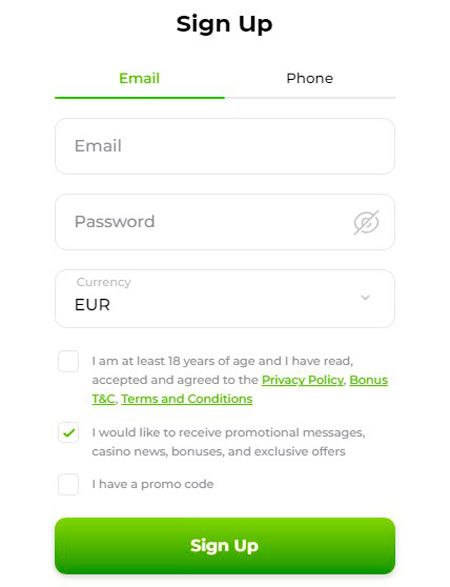
The Verde Casino app is compatible with a diverse selection of devices commonly used in Poland, making sure battery optimization benefits as many players as possible. For Android, the minimum requirement is version 8.0 (Oreo) or higher, which covers the great majority of active smartphones in the country, like popular models like the Samsung Galaxy A54, Xiaomi Redmi Note 12, and Huawei P30 series. The app is provided as an APK file directly from the official Verde Casino website, as gambling applications face restrictions on the Google Play Store in Poland. This sideloading approach allows the operator to push updates that feature battery-specific improvements without needing store approval cycles.
On the iOS side, the app demands iOS 14.0 or later, rendering it compatible with iPhone 7 and newer devices, as well as all iPad models that support that operating system version. Apple’s stringent app review process and hardware-software integration provide a steady baseline for power efficiency. The Verde Casino app uses Metal graphics API for seamless rendering with reduced overhead than OpenGL ES, helping with battery savings on iPhones. Polish users can check their exact device compatibility by accessing the official download page, where a live detection tool determines the appropriate installation file. The app also includes Polish language localization, which minimizes cognitive load and enables players to navigate settings menus—including power-related options—with total clarity.

While the app operates on a wide variety of hardware, the battery optimization features adapt intelligently. On flagship devices with high-refresh-rate displays, the app can restrict the frame rate to save energy, while on entry-level phones with less powerful GPUs, it falls back to lighter graphical presets. This adaptive approach ensures that a player using a budget Xiaomi model in Kraków will still enjoy a steady, battery-friendly experience without the stuttering that often troubles poorly optimized software. The minimum recommended RAM is 2 GB for Android and 1 GB for iOS, which aligns with the specifications of devices that Polish consumers usually purchase through major carriers like Orange, Play, and T-Mobile.
Detailed Installation and Setup Guide for Poland
Installing the Verde Casino app on an Android device in Poland needs a quick manual process because the application is not accessible through the Play Store. The first step is to go to the official Verde Casino website using the mobile browser. On the homepage, a prominent “Download App” button directs users to the dedicated APK download page. Before beginning the download, players should enter the device settings, go to “Security” or “Privacy,” and turn on the “Install unknown apps” or “Allow from this source” permission for the browser. This step is necessary because Android blocks sideloading by default as a security measure. Once the permission is allowed, the APK file can be saved and selected to begin installation.
After the installation ends, the Verde Casino icon emerges on the home screen. On first launch, the app may require permissions for storage and notifications. Giving storage access allows the app to cache game assets locally, which cuts down on repeated downloads and conserves battery by minimizing network activity. It is recommended to turn off non-essential notifications during this initial setup to stop frequent wake-ups. The entire process typically takes under three minutes on a stable Wi-Fi connection. For Polish users who experience an “App not installed” error, emptying the Google Play Store cache and guaranteeing sufficient free space—at least 150 MB—usually fixes the issue. The official website also offers a checksum hash for the APK, permitting technically inclined players to confirm file integrity before installation.
For iOS users, the installation path is more straightforward. The Verde Casino app is distributed through the Apple App Store, and Polish players can find it by looking for “Verde Casino” or using the direct link from the operator’s website. The download size is approximately 120 MB, and the app installs like any other iOS application. After installation, users should enter the iOS Settings app, move to “Verde Casino,” and examine the background app refresh and location permissions. Disabling background refresh for the app is a fast way to achieve additional battery savings without affecting gameplay, as the app does not demand constant background activity. Both platforms get over-the-air updates that feature incremental battery optimizations, so maintaining the app updated is a simple yet powerful maintenance practice.
Troubleshooting Common Battery Issues on Polish Devices
Even with a properly configured app, some Polish users may experience unexpected battery drain triggered by device-specific factors. A common culprit is obsolete system software or an old version of the Verde Casino app itself. Developers regularly optimize power management code, and skipping updates can leave performance regressions unfixed. Players should first check app updates on the official website or App Store and install the latest version. On Android devices, emptying the app cache from the system settings can resolve issues where corrupted temporary files force the app to reprocess data repeatedly, consuming CPU cycles and battery. This simple maintenance step is often neglected but can restore normal power consumption immediately.
Another typical issue on popular Polish smartphones like the Huawei P40 Lite or Samsung Galaxy A34 is aggressive background process management by the manufacturer’s custom Android skin. EMUI and One UI sometimes misread the app’s legitimate background activity as rogue behavior and kill processes, causing the app to restart more frequently and consume extra power during reinitialization. To avoid this, users should go to the battery optimization settings, find Verde Casino in the app list, and set it to “Don’t optimize” or “Allowed to run in background.” This does not mean the app will drain battery in the background; rather, it permits the app’s own efficient background handling to function as intended without interference from the system’s overly aggressive policies.
Overheating is both a indicator and a cause of rapid battery drain. If a device becomes unduly warm during play, the battery’s internal resistance increases and the operating system may throttle performance, creating a vicious cycle. Polish users playing in direct sunlight or while charging should take breaks to let the device cool. The Verde Casino app includes a thermal awareness feature that detects elevated temperatures and automatically reduces frame rates and graphical detail to lower heat output. If the problem persists, removing case covers that trap heat and lowering screen brightness can help. For persistent drain on older iPhone models, clearing the device’s network settings sometimes resolves hidden connectivity loops that keep the modem active.
Common Questions
Is it true that the Verde Casino app consume more battery than other casino apps?
Not at all, the Verde Casino app is engineered with power efficiency as a priority. It uses adaptive frame rates, hardware-accelerated video decoding, and intelligent network management to maintain consumption less than many competing applications. Polish users on mid-range devices like the Xiaomi Redmi series often note longer play sessions compared to other casino apps. Actual results are influenced by device model, settings, and network conditions, but the app’s architecture is specifically tuned to reduce unnecessary energy use without sacrificing gameplay quality.
Can I install the Verde Casino app on an older Android phone in Poland?
Of course, the app is compatible with Android 8.0 (Oreo) and above, which encompasses many older but still functional devices popular in Poland, such as the Samsung Galaxy S8 or Huawei P20 Lite. The APK file is downloaded directly from the official Verde Casino website after enabling installation from unknown sources. The app automatically adapts graphical settings to match the hardware capabilities, so older phones will run in a lighter performance mode that saves battery. Free storage of at least 150 MB is recommended for smooth operation.
For what reason is the Verde Casino app not available on the Google Play Store in Poland?
Google Play Store guidelines restrict real-money gambling apps in many regions, including Poland. To follow local rules and make sure Polish users can still access the full mobile journey, Verde Casino provides its Android app as a direct APK file from its official website. This approach allows the operator to deliver timely patches, including battery improvements, without store approval delays. The APK is digitally verified and safe to use when acquired from the official origin.
How do I reduce battery usage while playing live dealer sessions on the app?
Live dealer streams are the most power-intensive aspect because they require continuous video streaming. To lower drain, turn on Low Data Mode in the app preferences, which converts the stream to standard definition. Reduce the screen brightness manually and deactivate vibration alerts. Betting over Wi-Fi instead of cellular data also assists, as the radio component consumes less energy with a stable signal. Furthermore, picking the Performance graphics preset reduces the rendering burden of the user interface layers, further increasing battery time during live rounds.
Does the Verde Casino app consume my battery if I leave it operating in the background?
The app is built to transition into a low-power state when shifted to the background. It halts animations, reduces network activity to a minimal heartbeat, and frees up unnecessary memory. On both Android and iOS, it integrates system battery management features like Doze and App Standby. If a Polish user changes to another app, the Verde Casino app will not result in significant drain. However, completely exiting the app from the recent apps menu ensures zero background consumption and is recommended when the session is over.
Is it safe download the Verde Casino APK file on my Polish handset?
Yes, as long as the APK is sourced directly from the official Verde Casino website. The operator provides a checksum hash that users can confirm to guarantee the file has not been tampered with. Polish players should steer clear of third-party APK repositories, which may carry modified versions with malware or inefficient code that could negatively affect battery performance. The official APK is reviewed for security threats and complies with data protection standards in line with the Polish market, making it a safe installation choice.
Does using the Verde Casino app on an iPhone conserve more battery than on Android?
Battery performance depends primarily on the exact hardware and adjustment than the operating system on its own. iPhones gain from tight hardware-software integration and the Metal graphics API, which can be extremely efficient. That said, the Verde Casino app is just as well-optimized for Android, with adaptive rendering and native code that runs outstandingly on widely-used Polish Android devices. The difference in battery consumption between similar iPhone and Android devices is typically negligible, and both platforms allow the app’s complete range of power-saving options.